
I don’t chase “magic tricks” for cheap flights. I use tools the way pros do: to see more of the market, spot patterns quickly, and avoid getting burned by bad bookings.
In this guide, I’ll walk you through how I actually use Google Flights, Skyscanner, Hopper, and Kayak together to cut airfare costs without losing my sanity. Think of this as a practical playbook, not a theory lesson or AI-sounding checklist.
1. Start With the Right Question: What’s Your Real Constraint?
Before I open any app, I ask one blunt question: What’s the one thing I can’t change?
That single constraint decides which tool I open first and shapes my whole flight search strategy to find the cheapest fares.
- Fixed dates, flexible destination? I start with Skyscanner or Google Flights Explore.
- Fixed destination, flexible dates? I start with Google Flights or Skyscanner’s month view.
- Fixed route and dates, but flexible on when to book? I lean on Hopper or Kayak’s Price Forecast for timing.
- Complex routing or multiple airports? I go straight to Google Flights.
This matters because each tool has a different superpower:
- Google Flights: speed, clarity, and price context (low / typical / high). It’s where you learn how to use Google Flights like a pro.
- Skyscanner: ultra-flexible discovery and lots of budget carriers.
- Hopper: mobile-first alerts and buy/wait predictions.
- Kayak: simple, visual buy/wait guidance.
Once you know your constraint, you stop randomly hopping between apps and start using each one for what it’s actually good at. That’s the real difference between Skyscanner vs Kayak vs Google Flights in day-to-day use.
2. Use Skyscanner to Answer: “Where (and When) Is It Cheapest to Go?”
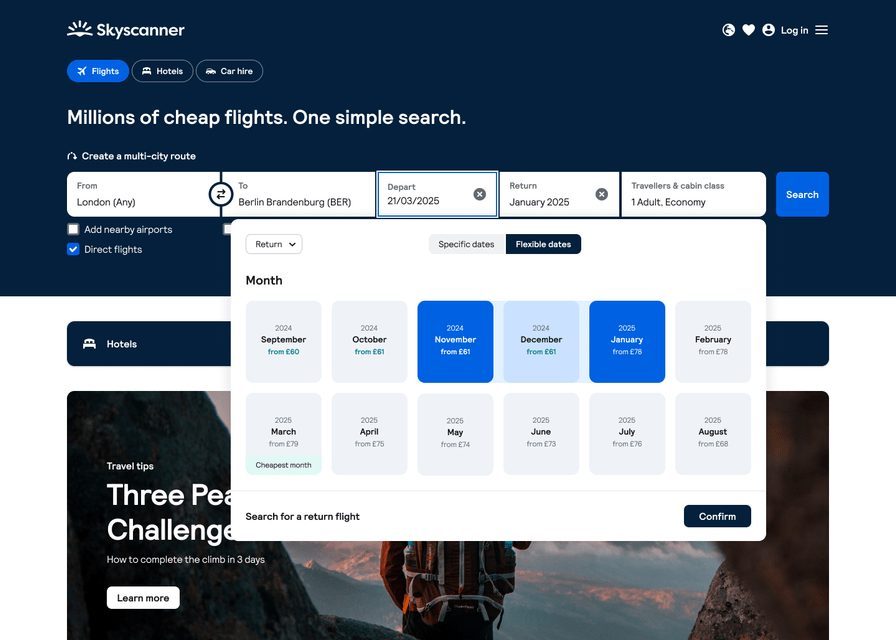
When I’m flexible on destination or dates, Skyscanner is my first stop. It’s built for discovery, not perfection. If you want real tactics for cheaper international flights, this is where the ideas start.
Here’s the workflow I actually use:
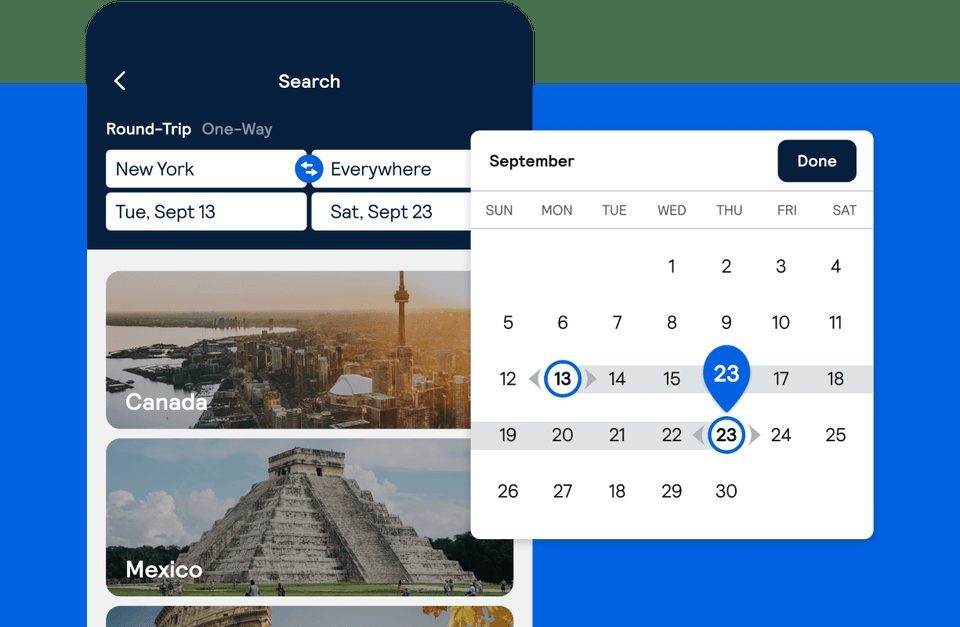
- Set your origin (e.g., “New York City”).
- For destination, choose “Everywhere”.
- For dates, pick “Whole month” → “Cheapest month” or a specific month.
- Sort results by lowest price and scan which countries or regions are cheapest.
That one search often reshapes my entire trip idea. Instead of forcing a $900 flight to one city, I might find a $420 flight to a nearby country and build a better trip around that.
Then I zoom in on dates:
- Click a destination and open the calendar / month view to see which days are cheapest at a glance.
- Set price alerts for routes that look promising but aren’t quite cheap enough yet.
Here’s the nuance most people miss: Skyscanner often shows more low-cost carriers and obscure online travel agencies (OTAs) than Google Flights. That’s both a blessing and a warning.
- Great for finding ultra-low fares, especially in Europe, Southeast Asia, and parts of Latin America.
- Risky if you blindly book with the cheapest unknown agency in the list.
My rule: Use Skyscanner to discover options, not to blindly trust the cheapest seller.
Once I see a good route and price, I cross-check it on Google Flights and with the airline directly. That’s one of the easiest common flight search mistakes to avoid.
3. Use Google Flights to Answer: “Is This a Good Price for This Route?”
Once I have a route in mind, I move to Google Flights. This is where I stop dreaming and start analyzing. If you want to know how to use Google Flights like a pro, this is the core of it.
Here’s how I break down a route:
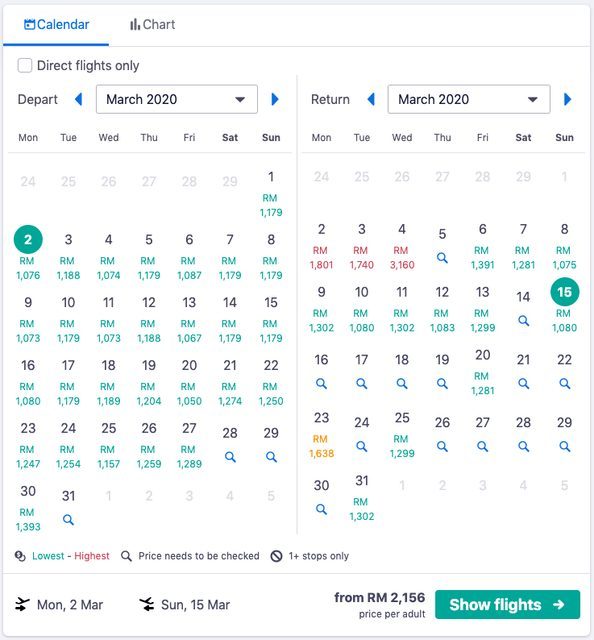
- Search your route and open the calendar.
I scan the full month to see how prices move day by day. A $150 difference just by leaving on Tuesday instead of Sunday is common. - Use the Date Grid and Price Graph.
The Date Grid shows outbound vs return combinations. The Price Graph shows how prices change over time and by trip length. - Check the price context.
Google Flights will often tell you if a fare is low, typical, or high for that route and date range. If it saysPrices are high for your dates
, I either adjust dates or prepare to pay more. - Track prices.
I toggle “Track prices” for routes I’m serious about and let Google email me when fares move.
I also use Google Flights to test multiple airports at once:
- Up to five departure airports (e.g., JFK, EWR, LGA, PHL, BOS).
- Up to five arrival airports (e.g., CDG, ORY, BRU, AMS, FRA).
That one tweak often uncovers a cheaper or more convenient routing that Skyscanner didn’t highlight clearly. It’s a simple multi city flight search strategy with Skyscanner and Google Flights that most people never bother with.
I also pay attention to Google’s “best flights” section. I don’t blindly accept it, but I use it as a sanity check: if the “best” option is slightly more expensive but much shorter or with better times, I factor that into the real cost of the trip—sleep, connections, and risk included.

4. Decide When to Book: Hopper vs Kayak vs Simple Rules
Once I know where I want to go and roughly when, the next question is timing: Should I book now or wait?
This is where Hopper flight price prediction accuracy and Kayak’s forecast come into play.
Here’s how I think about the main timing tools:
Hopper: mobile-first predictions and alerts
- Hopper gives clear “Buy” or “Wait” recommendations and pushes alerts to your phone.
- It’s especially handy for domestic and short-haul international routes.
- But independent research suggests it can be conservative, often nudging you to buy early.
I treat Hopper as a signal, not a command. If Hopper says Wait
but Google Flights shows prices are already low for this route, I trust the data over the prediction.
Kayak: simple, visual “buy/wait” guidance
- Kayak’s Price Forecast is straightforward:
Prices are likely to rise / fall
plus a confidence meter. - It’s less flashy than Hopper but easier to read at a glance.
My approach: I run the same route through Google Flights, Hopper, and Kayak. If two out of three say Buy
and the price is within my budget, I book. I don’t chase theoretical extra savings.
Simple timing rules that still work
Even the best prediction tools aren’t close to 100% accurate. So I keep a few boring but reliable rules in my back pocket:
- For most economy tickets, prices often start rising around 21 days before departure.
- For peak seasons and holidays, I aim to book 2–4 months out (sometimes more for Christmas and New Year).
- If a fare is good, within budget, and labeled “low” on Google Flights, I don’t overthink it. I book.
The goal isn’t to beat an algorithm. It’s to get a solid fare with minimal stress.

5. Avoid the Trap: Cheap Search vs Risky Booking
Here’s the part most people skip: the cheapest search result is not always the cheapest trip.
Skyscanner and Hopper, in particular, surface a lot of third-party OTAs. Some are fine. Some are a headache waiting to happen.
Common issues travelers run into:
- Hidden fees added after you click through.
- Terrible customer service when flights change or get canceled.
- “Flexible” options that turn out to be anything but flexible.
- Risky practices like hidden-city ticketing that can get your itinerary canceled.
My personal rule set for avoiding hidden airline fees on flight search sites and bad bookings:
- If the OTA is unknown and the savings are under $40–$60, I usually skip it and book directly with the airline.
- If the savings are big, I Google the agency name + “reviews” and check recent complaints.
- I avoid OTAs for trips where I cannot afford disruption (tight connections, important events, non-flexible schedules).
In practice, I often use Hopper, Skyscanner, and Kayak to find the deal, then I:
- Note the airline, flight numbers, and dates.
- Go to the airline’s own website.
- Rebuild the itinerary and compare the final price.
Most of the time, the airline is only slightly more expensive. But I get better change policies, clearer terms, and direct support when things go wrong. That’s worth real money.
6. Combine Tools Into a Simple, Repeatable Workflow
Let’s put this together into a concrete playbook you can reuse for almost any trip. This is the best way to combine flight search apps and websites without overcomplicating things.
Step 1: Explore broadly with Skyscanner and Google Flights Explore
- Use Skyscanner “Everywhere” + Whole Month to see the cheapest regions and dates.
- Use Google Flights Explore to see what’s cheap from your home airport within your budget and time window.
This is where flexible date search on Google Flights and Skyscanner really pays off.
Step 2: Analyze your top 2–3 routes in Google Flights
- Check the calendar, Date Grid, and Price Graph.
- Test multiple airports on both ends.
- Note whether prices are low / typical / high.
- Turn on price tracking for serious contenders.
This is where you compare flight prices across Google Flights and Kayak or Skyscanner and see if anything looks off.
Step 3: Sense-check timing with Hopper and Kayak
- Run the same route and dates through Hopper and Kayak Price Forecast.
- If they strongly disagree, lean on Google Flights’ price history and your own timing rules.
That’s how I use multiple flight search engines together without getting overwhelmed.
Step 4: Decide your “good enough” price in advance
Before you get lost in alerts, decide: If I see this route for $X, I’ll book.
That number should be:
- Within your budget.
- Reasonable compared to what the tools call “typical”.
- Low enough that you won’t be angry if it drops another $20 later.
Step 5: Book smart, not just cheap
- When your target price appears, book. Don’t keep chasing perfection.
- Prefer booking directly with the airline, especially for complex or important trips.
- Use OTAs selectively, and only when the savings justify the risk.
7. Advanced Tactics: Squeezing Extra Value Without Losing Your Mind
Once you’re comfortable with the basics, a few extra moves can quietly save you hundreds over a year. These are the advanced tips for online flight search tools that actually get used.
- Play with trip length.
In Google Flights, adjust the trip-length editor (e.g., 5–9 days). Sometimes adding a day makes the flight dramatically cheaper. - Shift by 1–2 days.
Use the Date Grid to see if leaving Thursday instead of Friday saves enough to pay for a hotel night. - Check nearby hubs.
Skyscanner and Google Flights both make it easy to test nearby airports. A cheap flight into a major hub plus a train or bus can beat a direct flight to a smaller airport. - Watch baggage rules.
Use Google Flights’ filters for bags included. A “cheap” fare that charges $60 per bag each way is not cheap. - Don’t ignore time and risk.
A $40 cheaper ticket with a 9-hour overnight layover and a risky connection is rarely worth it unless you truly need to minimize cash outlay.
The pattern here is simple: use the tools to see the trade-offs clearly, then choose based on your real priorities, not just the lowest number on the screen.

8. The Mindset Shift: From Deal-Chasing to Decision-Making
All four tools—Google Flights, Skyscanner, Hopper, and Kayak—are just that: tools. They’re influenced by partnerships, algorithms, and business models you don’t see. None of them are neutral, and none of them are perfect.
Your advantage isn’t secret hacks. It’s mindset:
- Curious: you test multiple tools instead of trusting one.
- Skeptical: you question ultra-cheap fares and unknown OTAs.
- Decisive: you define “good enough” and book when you see it.
If you use Skyscanner for discovery, Google Flights for analysis, Hopper and Kayak for timing signals, and airlines for most bookings, you’ll consistently land in the top 10–20% of fares without turning your life into a full-time deal hunt.
That’s how pros use flight search tools: not to chase miracles, but to make calm, informed decisions that quietly save hundreds over time.